Explore a mysterious museum at the hour of Midnight, as you further deeper into it’s maddening Depths. Solve mind-bending puzzles, where you must rotate the room around you to reach new areas, in order to discover the museum’s dark secret. This game was created between February-May 2023 for my second year on the Games Technology Course at the University for the Creative Arts Farnham. This was created in a group, where I served as the game’s programmer and writer. Created in Unity 3D using the C# Language.
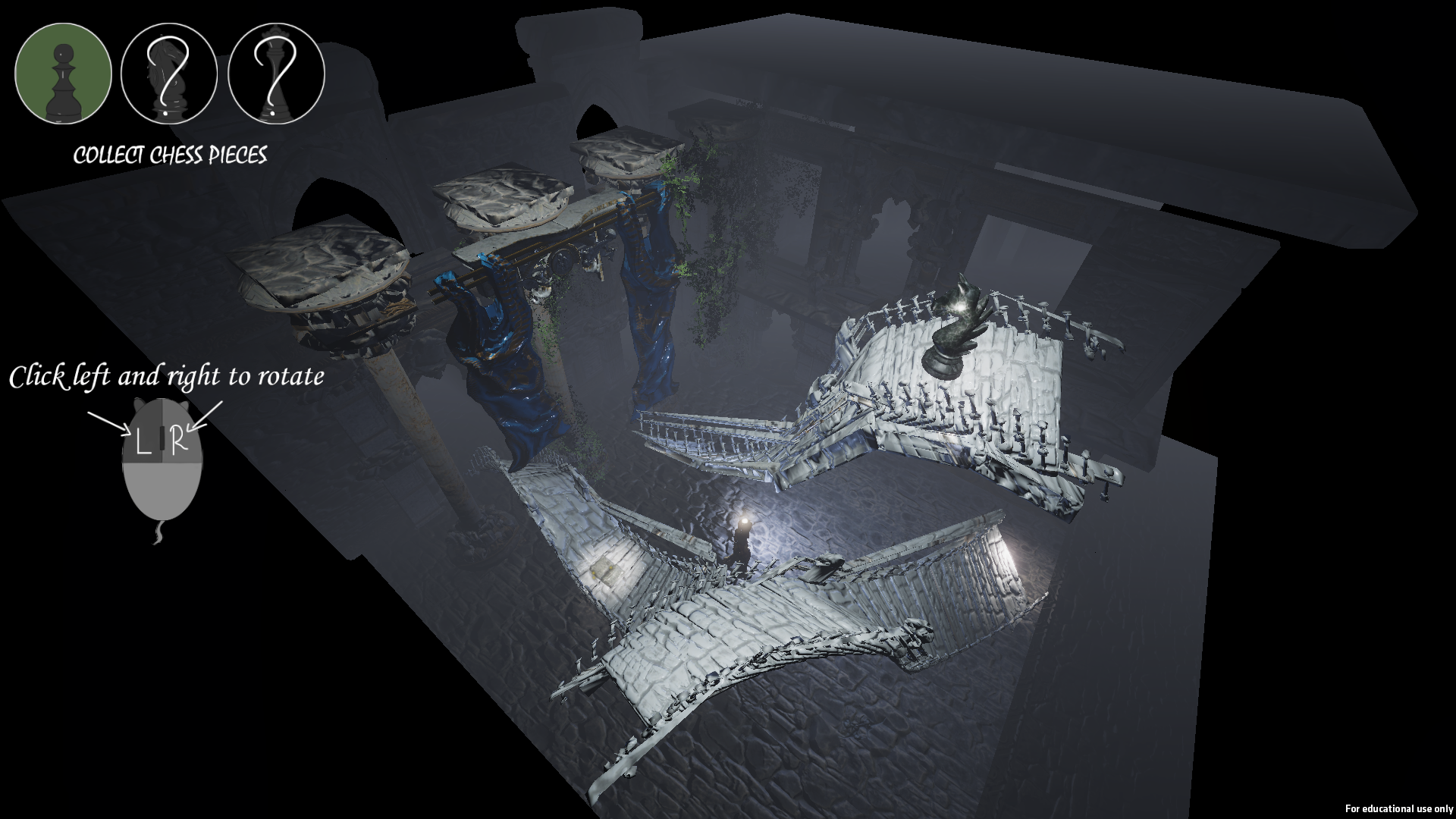
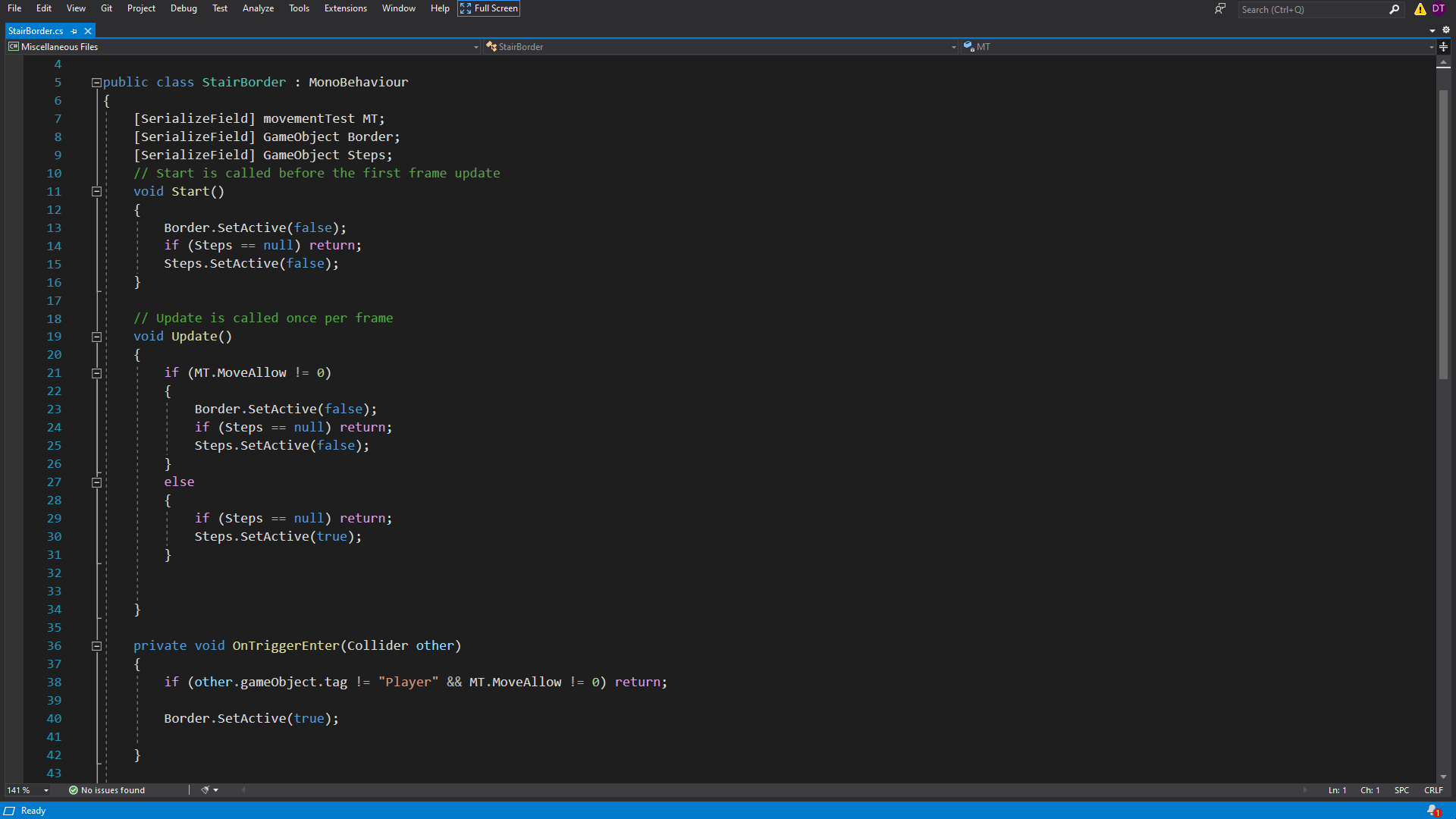
Below you can find some examples of code used to program the main mechanic of the game, the room rotation, in addition to some unused code which I am proud of. To see the game’s full code, please visit my GitHub page.
Room Rotation Mechanic
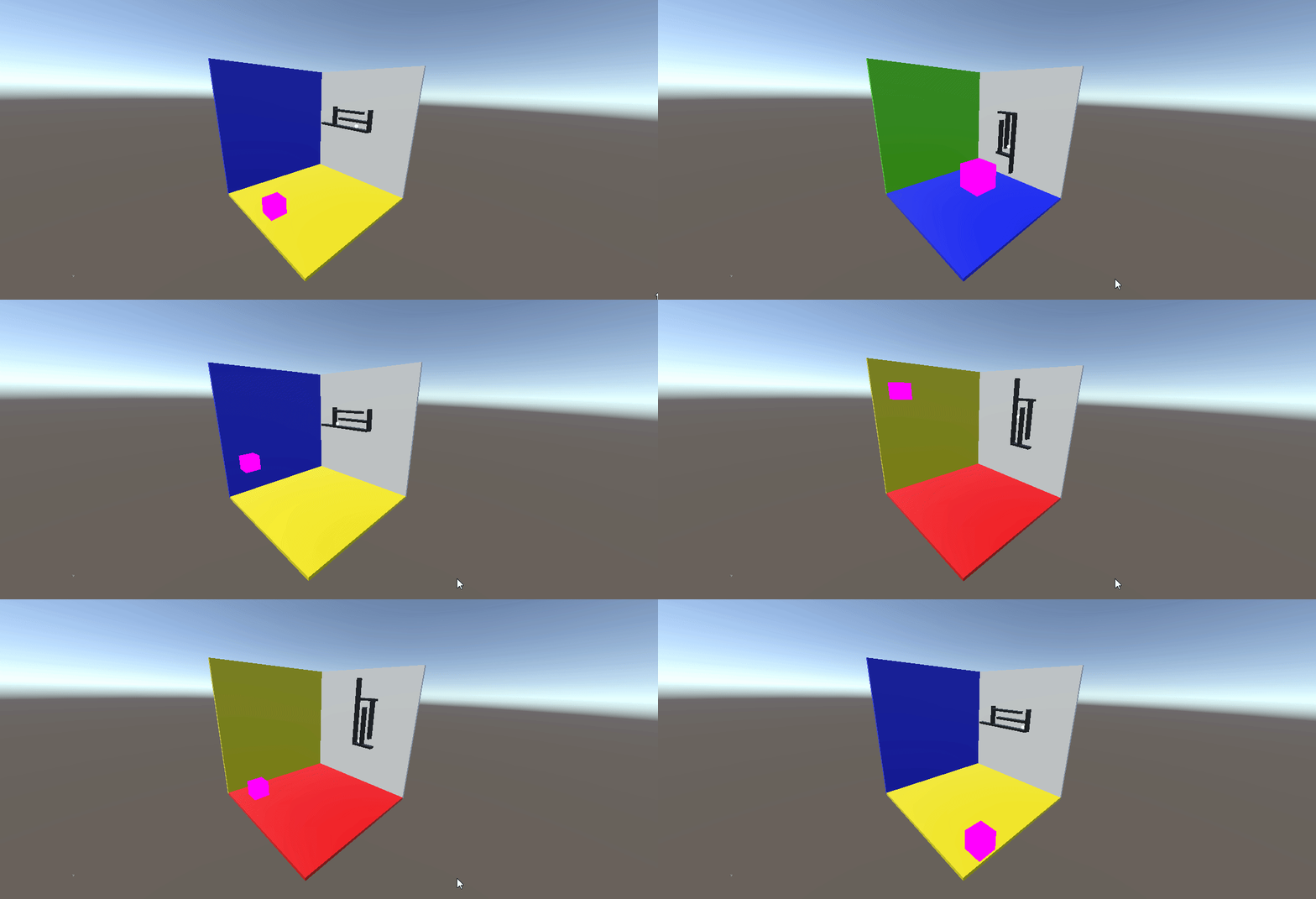
The central pieces of code used to create the game’s main mechanic, in which the rooms surrounding the player rotate to access new paths, can be find in the script titled “changegravity”. In this section I will showcase pieces of the script and explain what they serve to do. This script is used to register player inputs with the game, either by clicking the left mouse button or the right mouse button, and then calls different IEnumerators to rotate the area depending on what button was pressed.

Update Function
    void Update()
    {
        //Checks whether the player is on the ground and can move.
        if (MT.Groundbool == true && MT.MoveAllow == 0)
        {
            //When left clicked the code sets the code to rotate the stage to the left.
            if (Input.GetMouseButtonDown(0))
            {
                //Stops the players movement and freezes them in the air without being able to collide.
                MT.MoveAllow = 1;
                MT.MyRigidbody.velocity = new Vector3(0, 0, 0);
                MT.MyRigidbody.constraints = RigidbodyConstraints.FreezeAll;
                MT.gameObject.layer = 7;
                //Restarts things so the loop begins fresh
                loopcount = 0;

                //Sets the values of Down and Up
                if (portalRoom == false)
                {
                    Down = 15f;
                    Up = 0f;
                }
                else
                {
                    Down = 15f;
                    Up = 1f;
                }

                //Starts the rotation loop which is done via a coroutine
                StartCoroutine(LeftRotate());

                //Checks which room the player is in, then either moves the wall up or down the array.
                if(portalRoom == false)
                {
                    MoveArrayup();
                }
                else
                {
                    MoveArrayDown();
                }
                //Checks if the value of the FRS variable is null or not, if not null it then calls a function from it.
                if(FRS != null)
                {
                    FRS.MoveMaterialUp();
                }
            }
The update function for this script is used to check whether the player is in a position to rotate the stage around them. As you can see, the function begins with an if statement, checking the values of two variables within a variable named “MT”. MT is a variable which stores the player’s movement script, and the two variables that are checked, “Groundbool” and “MoveAllow” both serve to check whether the player should be able to rotate. Groundbool is a bool which is set to true when the player is standing on ground, and false when they are in the air, as such, by checking if the bool is true before proceeding, the script makes sure that the player can only rotate when touching the ground.
The latter variable, MoveAllow, is an int which is used to store the current state of the player. If the int is set to 0, then that means the player is able to move like normal; if it is 1, then that means the player is floating, a state which is triggered when the stage is rotating around the player. Finally, when the int is set to 2, it means the player is in a falling state, which is triggered once the room has rotated.
So, after this if check, the game then checks whether the player is clicking the right or left mouse button. When clicking either button, the game will begin the room rotation, beginning by freezing the player to float in the air, before beginning a loop in a Coroutine named either “LeftRotate()” or “RightRotate()” depending on whether it was the right or left click pressed. As you can see, once a button has been pressed, the script will have two more if checks before rotating.
First, it checks whether the bool named portalRoom is true or not. This is checked, as the position of the camera in the second stage, the portal stage, would cause the rotation to feel reversed, as such the code is set so the rotation of the stage is inversed on that stage to keep the rotation consistent. Depending on the value of this bool, the script calls one of two functions “MoveArrayUp()” or “MoveArrayDown(). These functions access the array which stores the stage’s walls, and moves them around so the correct walls fade away so that the player is always visible.
Next, it checks whether the variable “FRS” is null or not. FRS is a variable which stores a script used only in the first stage, which fades the stairs found in those levels away so the player can see themselves through them. If the variable isn’t null then the script calls a function found in that script called “MoveMaterialUp()”, which moves the array order of materials attached to the stairs in that stage.
LeftRotate()/ RightRotate() IEnumerator
IEnumerator LeftRotate()
    {
        //Sets Down and Ups value to subtract from ChangeTrasnparent
        Down -= ChangeTrasnparent;
        Up += ChangeTrasnparent;

        //Sets the visibility of the walls to fit the room the player is in.
        if (portalRoom == false)
        {
            CS.WallMaterials[0].SetFloat("_Visbility", Up);
            CS.WallMaterials[1].SetFloat("_Visbility", 15f);
            CS.WallMaterials[2].SetFloat("_Visbility", Down);
            CS.WallMaterials[3].SetFloat("_Visbility", 0f);

            if (FRS != null)
            {
                FRS.StairMaterials[0].SetFloat("_Visbility", Up);
                FRS.StairMaterials[1].SetFloat("_Visbility", 15f);
                FRS.StairMaterials[2].SetFloat("_Visbility", Down);
                FRS.StairMaterials[3].SetFloat("_Visbility", 1f);
            }
        }
        else
        {
            CS.WallMaterials[0].SetFloat("_Visbility", 15f);
            CS.WallMaterials[1].SetFloat("_Visbility", Up);
            CS.WallMaterials[2].SetFloat("_Visbility", 1f);
            CS.WallMaterials[3].SetFloat("_Visbility", Down);
        }

        //Rotates the room and the player by rotate amount.
        T.transform.Rotate((x - RotateAmount), y, z, Space.World);
        Player.transform.Rotate((playerx + RotateAmount), y, z, Space.World);

        //Adds to the value of loopcount
        loopcount++;
        //Creates a pause that waits for the amount RotateSpeed is set to.
        yield return new WaitForSeconds(RotateSpeed);

        //Restarts the Coroutine if loopcount is a different value to LoopCountAmount.
        if(loopcount != LoopCountAmount)
        {
            StartCoroutine(LeftRotate());
        }
        else
        {
            //When the loop ends it resets the player, setting it so they fall down but can't move and makes sure they are standing up.
            MT.MyRigidbody.constraints = RigidbodyConstraints.None | RigidbodyConstraints.FreezeRotation;
            MT.MoveAllow = 2;
            MT.XRotation += 90;
            //Sets Softlocked as true, which is designed so that if the player gets stuck on an object and can't move then the room resets.
            MT.Softlocked = true;
            //If FRS has a value then it calls ChangeStairsLeft() which sets the transparency of the stairs.
            if (FRS != null)
            {
                FRS.ChangeStairsLeft();
            }
            //Resets the values of Down and Up
            Down = 15f;
            Up = 0f;
            //Disconnects the player from the room so they can be accuralty reset rotation, before reattaching them.
            Player.transform.parent = null;
            Player.transform.rotation = new Quaternion(0, 0, 0, 0);
            Player.transform.SetParent(T);

            //Sets the transparency of the Walls
            if (portalRoom == false)
            {
            CS.WallMaterials[0].SetFloat("_Visbility", 15f);
            CS.WallMaterials[1].SetFloat("_Visbility", 15f);
            CS.WallMaterials[2].SetFloat("_Visbility", 0f);
            CS.WallMaterials[3].SetFloat("_Visbility", 0f);
            }
            else
            {
            CS.WallMaterials[0].SetFloat("_Visbility", 15f);
            CS.WallMaterials[1].SetFloat("_Visbility", 15f);
            CS.WallMaterials[2].SetFloat("_Visbility", 1f);
            CS.WallMaterials[3].SetFloat("_Visbility", 1f);
            }
            //Changes the players layer so they can collide with objects again.
            MT.gameObject.layer = 0;
            //calls the SoftlockedScene Coroutine.
            StartCoroutine(SoftlockedScene());
        }
    }
The IEnumerators LeftRotate() and RightRotate() are called within the Update function as Coroutines, depending on whether the player has clicked the left or right of the mouse buttons. These IEnumerator’s are practically the same, with them just serving to rotate the stage in the opposite directions depending on which button was pressed. These IEnumerators create a loop which rotates the stage a little bit each loop, before increasing the value of an int named “loopcount”, which when not equal to the int “LoopCountAmount” calls the IEnumerator again. If the two ints are of equal value, then the loop ends, with the room having been rotated by 90 degrees and the walls blocking the players view having faded away. It ends by allowing the player to fall, and as such allowing them to continue the game.
MoveArrayUp()/ MoveArrayDown()
public void MoveArrayup()
{
    //Moves the positon of the walls and there materials within there array.
    for (int ArrayNumber = 0; ArrayNumber < 4; ArrayNumber++)
    {
        Temp[ArrayNumber] = CS.Walls[ArrayNumber];
        WallTemp[ArrayNumber] = CS.WallMaterials[ArrayNumber];
    }

    for (int ArrayNumber = 0; ArrayNumber < 4; ArrayNumber++)
    {
        CS.Walls[ArrayNumber + 1] = Temp[ArrayNumber];
        CS.WallMaterials[ArrayNumber + 1] = WallTemp[ArrayNumber];
        if(ArrayNumber == 3)
        {
            CS.Walls[0] = Temp[3];
            CS.Walls[4] = null;
            CS.WallMaterials[0] = WallTemp[3];
            CS.WallMaterials[4] = null;
        }
    }
}
The MoveArrayup() and MoveArrayDown() functions both serve the same purpose, to move the order of the stage’s walls either up or down in the array they are saved in. It does this by using two for loops. The first registers the current order of the walls and the materials attached to them. The second then sets the order of the array to move the elements either up or down within the array.
Unused Code
Initially, Midnight Thoughts was meant to have three levels, with the final level being a chase sequence, where the final monster takes the player’s rotation powers away. This was meant to have the stage rotate in a set order, and the player was meant to move through the area without dying. This section had to be cut due to time constraints, but not before I had prototyped some code for the rotation mechanic. This script used a clean loop of functions which I was immensely proud of at the time, and felt like a big step in my programming capabilities, so it was upsetting when it ended up unused in the final game. However, the skills I learnt from it really helped boost my script writing skills, with similar design being seen in my next project. This code was found in a script named “FinalStageRotation”, and involved several functions which called each other to complete there tasks.
void Start()
    {
        T = gameObject.GetComponent<Transform>();
        Player.transform.rotation = new Quaternion(0, 0, 0, 0);
        x = 0;
        y = 0;
        z = 0;

        Camera.transform.localPosition = CameraLocation[CLocationCount].CPosition;
        Camera.transform.localRotation = CameraLocation[CLocationCount].CRotation;


        StartCoroutine(TimedRotation());
    }


    IEnumerator TimedRotation()
    {
        RotationPlan(CameraPositionName[CLocationCount]);
        yield return new WaitForSeconds(1f);
        Debug.Log("GO");
        CLocationCount++;
        Camera.transform.localPosition = CameraLocation[CLocationCount].CPosition;
        Camera.transform.localRotation = CameraLocation[CLocationCount].CRotation;
        yield return new WaitForSeconds(7f);
        StartCoroutine(TimedRotation());

    }

    void RotationPlan(string Direction)
    {


        RDirection = Direction;
        StartCoroutine(Rotate());

        Direction = null;
    }

    IEnumerator Rotate()
    {
        T.transform.Rotate(XRotate(x), y, ZRotate(z), Space.World);

        loopcount++;
        yield return new WaitForSeconds(0.001f);
        if (loopcount != 900)
        {
            StartCoroutine(Rotate());
        }
        else
        {

            loopcount = 0;
        }
    }

    float XRotate(float Modify)
    {
        switch (RDirection)
        {
            case "Left":
                {
                    Modify -= 0.1f;
                }
                break;
            case "Right":
                {
                    Modify += 0.1f;
                }
                break;
            default:
                {
                    Modify = x;
                }
                break;
        }
        return (Modify);

    }

    float ZRotate(float Modify)
    {
        switch (RDirection)
        {
            case "Forward":
                {
                    Modify -= 0.1f;
                }
                break;
            case "Backward":
                {
                    Modify += 0.1f;
                }
                break;
            default:
                {
                    z = Modify;
                }
                break;
        }
        return (Modify);
    }
This script begins by setting everything up within the Start() function. Here, it sets the initial location of the player, stage and camera, pulling from an array of Vector3s for the last of those. Following this it begins a Coroutine called TimedRotation(), which is the centrepiece of this code’s system. TimedRotation() begins by calling the function RotationPlan(), storing a string selected from an array as the function’s string variable “Direction”. That function then sets the value of the string variable RDirection as its own, and calls the Rotate() Coroutine. Rotate() creates a loop to rotate the stage, and determines what direction needs to be rotated in by calling two functions, XRotate() and ZRotate(), which checks the value of RDirection, comparing it to those set in a switch statement stored in each function, and modifies the amount the stage should rotate based on that. Once the rotation is complete, TimedRotation() moves to the next values stored in the array, and begin the loop all over again.
I am proud of this code, as I feel it was designed in a very modular way, with the script continuing until it reaches the end of the array of its instance. It served as a learning lesson on how to write neater code and is one I look back on fondly.
 Daniel Tooby's Portfolio