Challenge yourself as you make your way past several difficult platforming obstacles. My first Unreal project with C++ integration. This project was created following the Udemy course “Unreal Engine 5 C++ Developer: Learn C++ & Make Video Games“, and as such is relatively basic. Despite this, I believe working on this project taught me elements within Unreal that became useful for creating projects in the future, even if this project itself doesn’t hold up well. This game was created between September 2022-December 2022 for the first term of my second year on the Games Technology Course at the University of the Creative Arts Farnham. This was created by myself within Unreal Engine with blueprints and the C++ language.
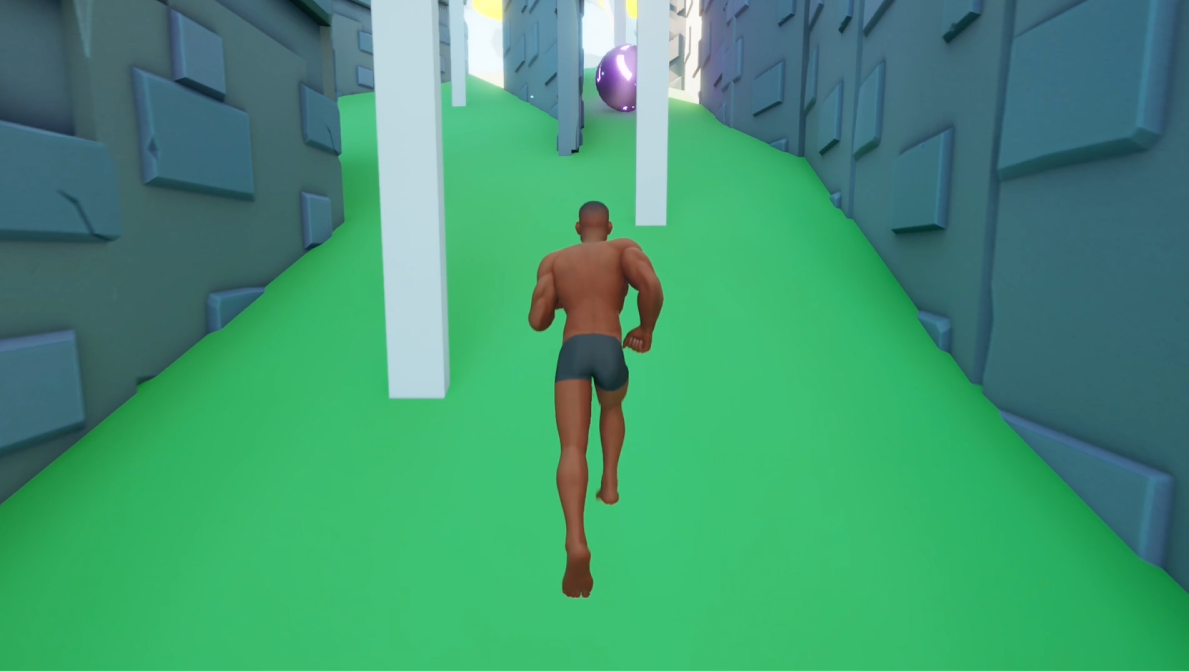
I’m not particularly proud of this game, as it is quite simplistic and the controls are quite slippery. However, I believe it was an important step for my game developing career, helping me gain a better understanding with Unreal, Blueprints, level design and C++. As my first experience with C++ within Unreal, the amount of code created was quite minimal, and there purposes simplistic. Because of this there were only one script that I felt had enough depth to be shown here, though they is much simpler then any of the code seen in my Unity projects, or even found in my later Unreal projects – which I think shows the strength I have in quickly learning new skills.
Stumble Fellas Script
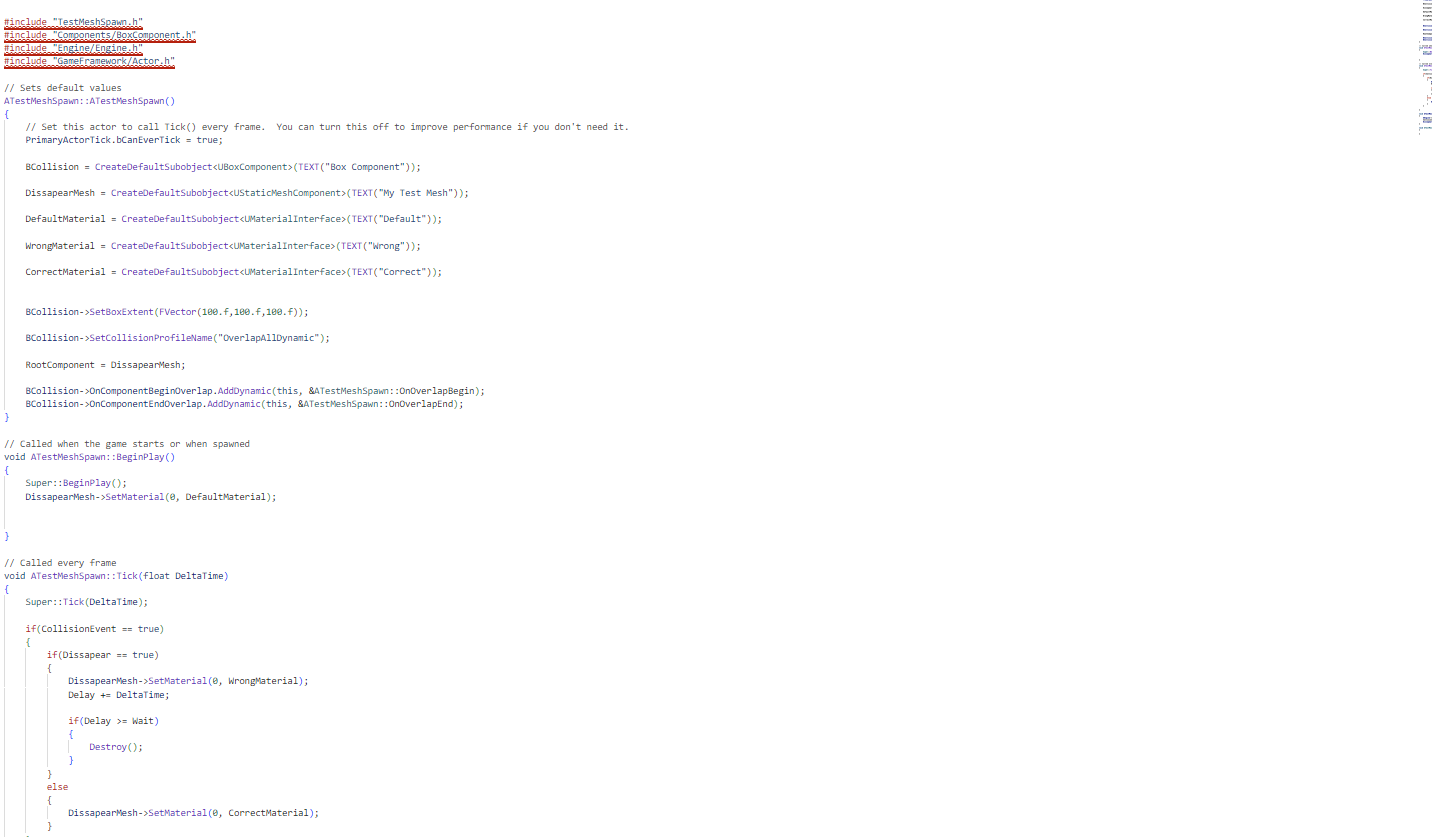
The script that will be discussed here is used to create disappearing platforms, obstacles where if the player stands on them they can either disappear or remain. The reason that this is the script that I wanted to highlight was because it was the first C++ script in Unreal that I created outside the tutorial that I was following, and completed based on my own research and experimentation. Yes, this script is very simple, but it was a small step in making me feel much more confident in my abilities with C++ in Unreal. I was tempted to also show my code for the Moving Platform scripts, but since they are basically the same as what was found in the tutorial, chose against it. The script for the disappearing platforms was created in a script named “TestMeshSpawn”, which, as the name implies, was originally a test on the script which ended up being exactly what I needed it to be.
TestMeshSpawn
#include "TestMeshSpawn.h"
#include "Components/BoxComponent.h"
#include "Engine/Engine.h"
#include "GameFramework/Actor.h"

// Sets default values
ATestMeshSpawn::ATestMeshSpawn()
{
 	// Set this actor to call Tick() every frame.  You can turn this off to improve performance if you don't need it.
	PrimaryActorTick.bCanEverTick = true;

	BCollision = CreateDefaultSubobject<UBoxComponent>(TEXT("Box Component"));

	DissapearMesh = CreateDefaultSubobject<UStaticMeshComponent>(TEXT("My Test Mesh"));

	DefaultMaterial = CreateDefaultSubobject<UMaterialInterface>(TEXT("Default"));

	WrongMaterial = CreateDefaultSubobject<UMaterialInterface>(TEXT("Wrong"));

	CorrectMaterial = CreateDefaultSubobject<UMaterialInterface>(TEXT("Correct"));


	BCollision->SetBoxExtent(FVector(100.f,100.f,100.f));

	BCollision->SetCollisionProfileName("OverlapAllDynamic");

	RootComponent = DissapearMesh;

	BCollision->OnComponentBeginOverlap.AddDynamic(this, &ATestMeshSpawn::OnOverlapBegin);
	BCollision->OnComponentEndOverlap.AddDynamic(this, &ATestMeshSpawn::OnOverlapEnd);
}

// Called when the game starts or when spawned
void ATestMeshSpawn::BeginPlay()
{
	Super::BeginPlay();
	DissapearMesh->SetMaterial(0, DefaultMaterial);


}

// Called every frame
void ATestMeshSpawn::Tick(float DeltaTime)
{
	Super::Tick(DeltaTime);

	if(CollisionEvent == true)
	{
		if(Dissapear == true)
		{
			DissapearMesh->SetMaterial(0, WrongMaterial);
			Delay += DeltaTime;

			if(Delay >= Wait)
			{
				Destroy();
			}
		}
		else
		{
			DissapearMesh->SetMaterial(0, CorrectMaterial);
		}
	}

}

void ATestMeshSpawn::OnOverlapBegin(UPrimitiveComponent* OverlappedComp, AActor* OtherActor, UPrimitiveComponent* OtherComp, int32 OtherBodyIndex, bool bFromSweep, const FHitResult& SweepResult)
{
	GEngine->AddOnScreenDebugMessage(-1, 1.f, FColor::Yellow, "Overlapbegin");
	CollisionEvent = true;
	DissapearMesh->SetMaterial(0, WrongMaterial);
}
The .cpp file of this script has one purpose, to cause a trigger on the platform once the player collides with it. During the initialisation of this script’s instances, the program attaches the appropriate mesh and colliders to the object, before generating a collider overlap within this initialisation phase, which waits for the player to collide with the object. Once the player overlaps with the trigger it causes the object to change material, to a stored material named “WrongMaterial” and sets a bool called CollisionEvent to be true. CollisionEvent is then checked in the script’s Tick function, which let’s the script know that the platform has been interacted with. This Tick function proceeds to see whether the platform is one that disappears or stays. If it stays, then the material is changed once again to one named “CorrectMaterial” – I don’t think I need to really explain why. If the platform is one that disappears, then it stays with the WrongMaterial attached for a few seconds, before destroying itself. As stated before, this script is very simpistic, but the fact it was my first object in the game to be completely made with my own C++ script, with no need for Blueprint incorporation, is something I’m proud of.
 Daniel Tooby's Portfolio